From the team behind Locus

Put your reading to work.

Turn pages, PDFs and notes into a briefing, a comparison or a claim you can check. In the Ikentic Workbench, prepare assistants with the sources and methods each job needs, ready for another conversation.

Find an example close to your work

Read the sources, questions and answers without signing in. Your Locus login works when you're ready to try one.

Try one with an assistant already prepared

Use Research Companion and the supplied public files. Your Locus login works here. Free includes selected models within usage limits; preparing your own Persona can come later.

Two Personas. Different jobs.

Prepare once, then check the next answer

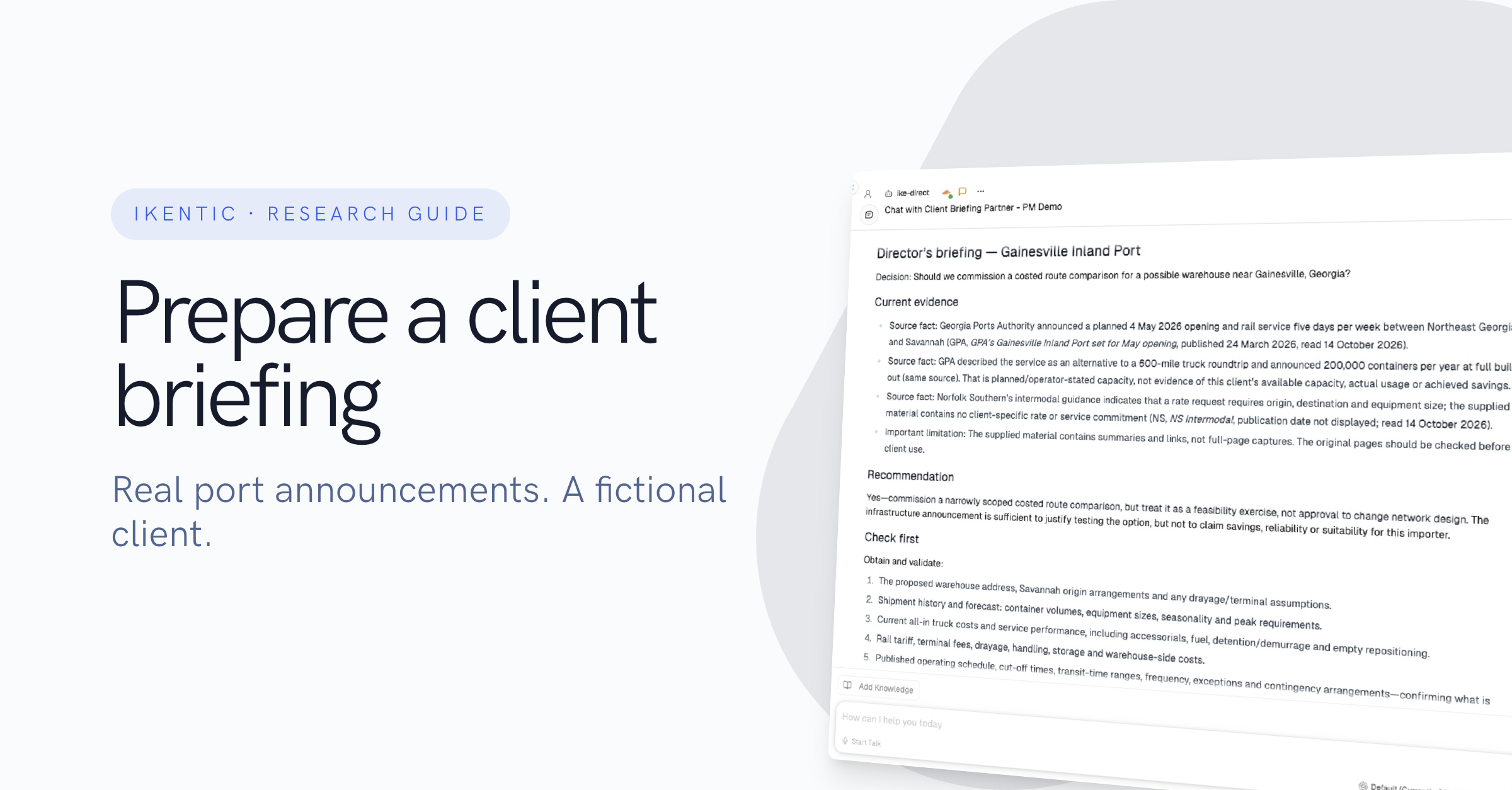
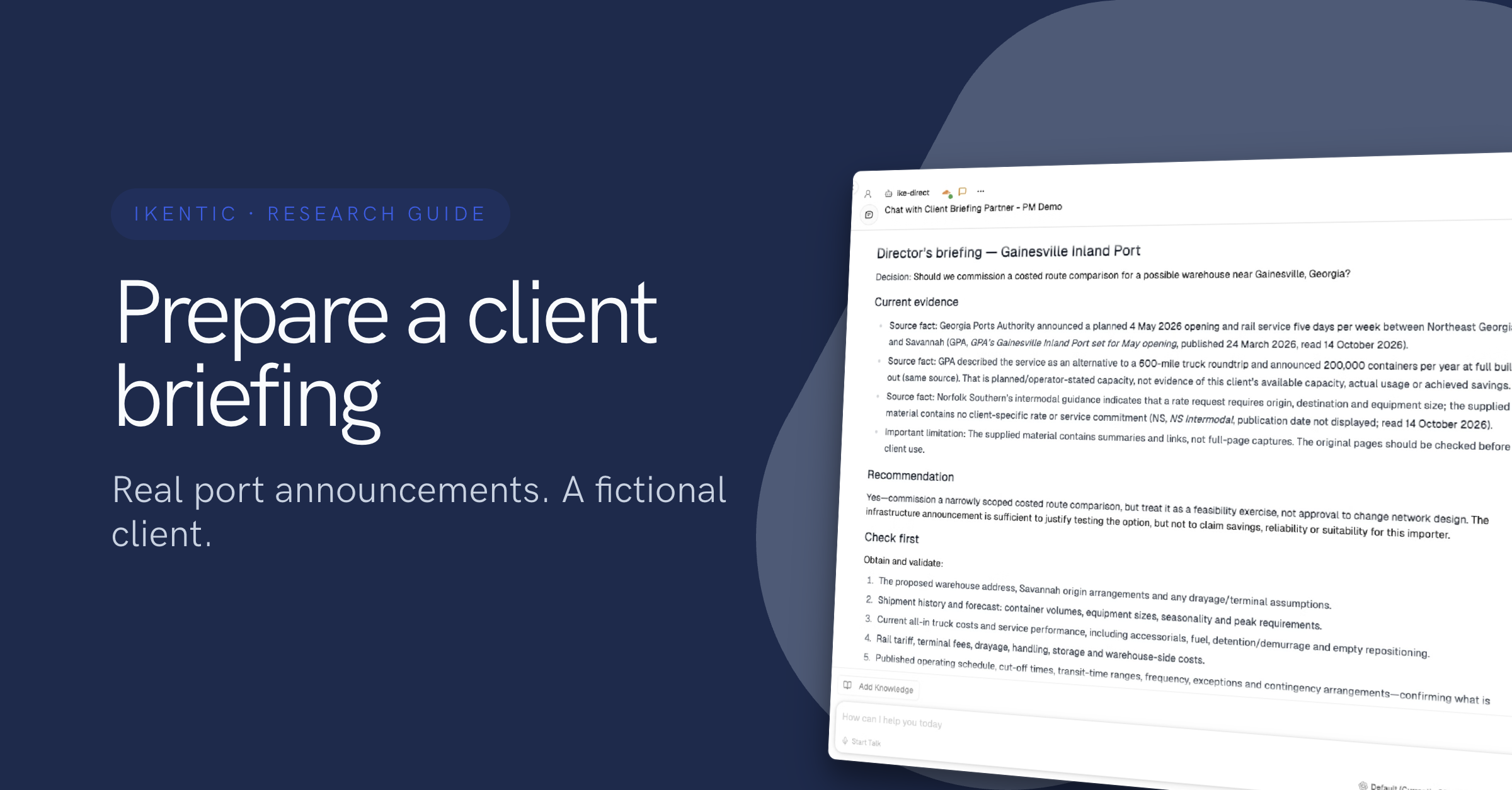
A real Workbench walkthrough using public-source notes and a fictional client. One Persona prepares a briefing; another checks the wording. A later task reuses the saved preparation with a new file and a checked earlier recommendation. Both answers needed human guidance.

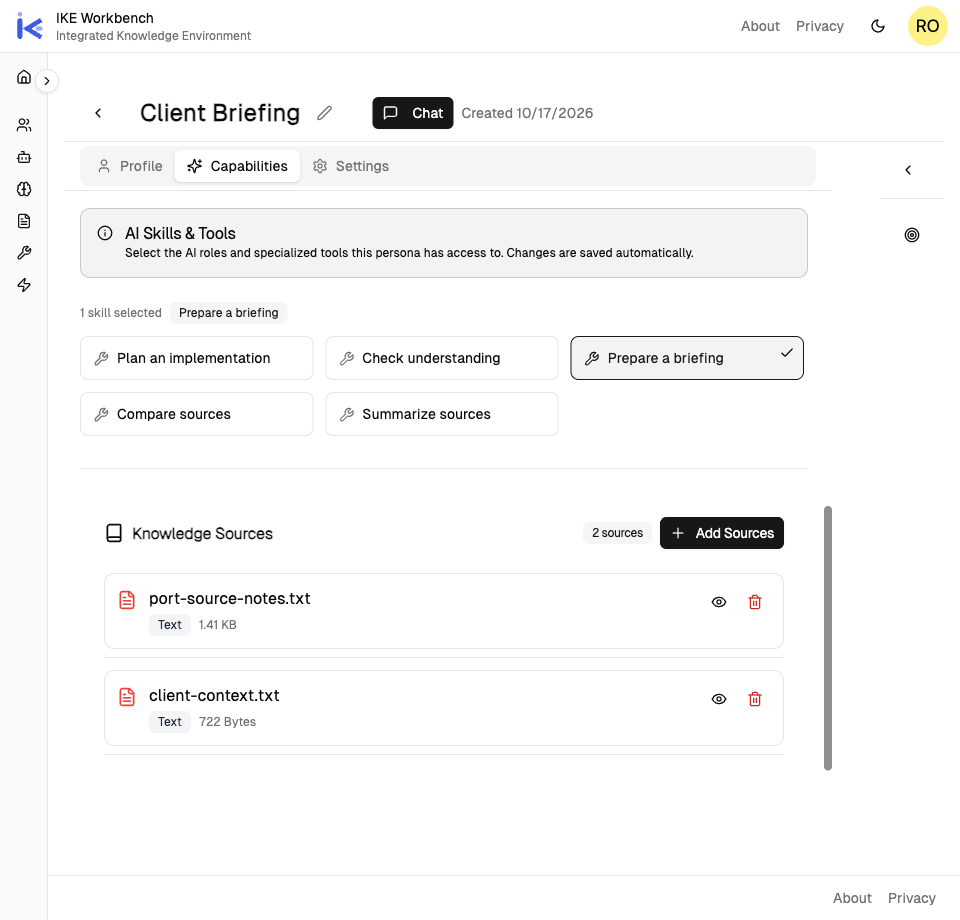
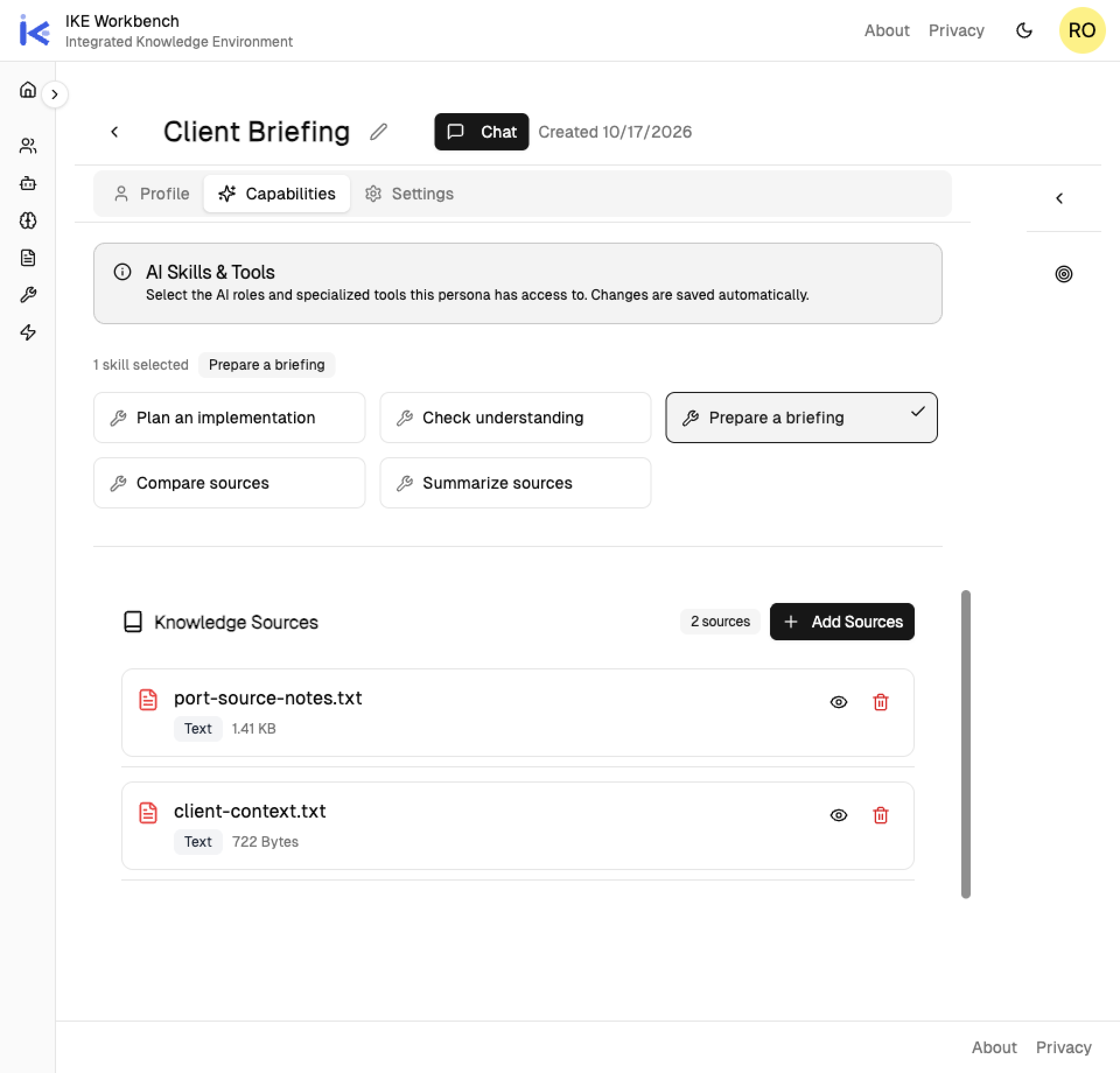
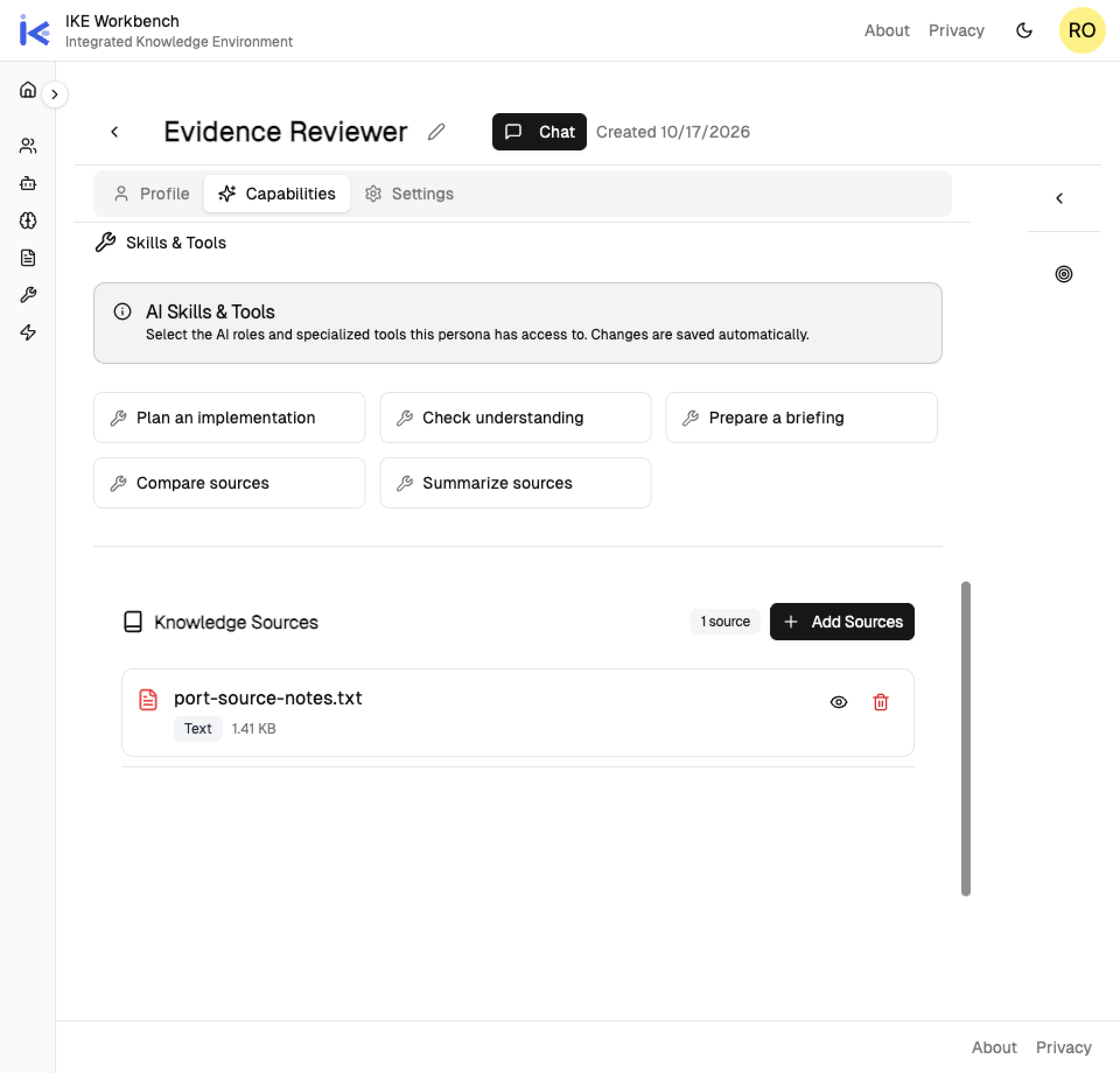
Client Briefing Persona with Prepare a briefing selected and two linked sources: port-source-notes.txt and client-context.txt.

Prepare the briefing

A Persona is an assistant prepared for a purpose. Client Briefing keeps its instructions, the Prepare a briefing Skill, client context and public-source notes. View the saved setup →

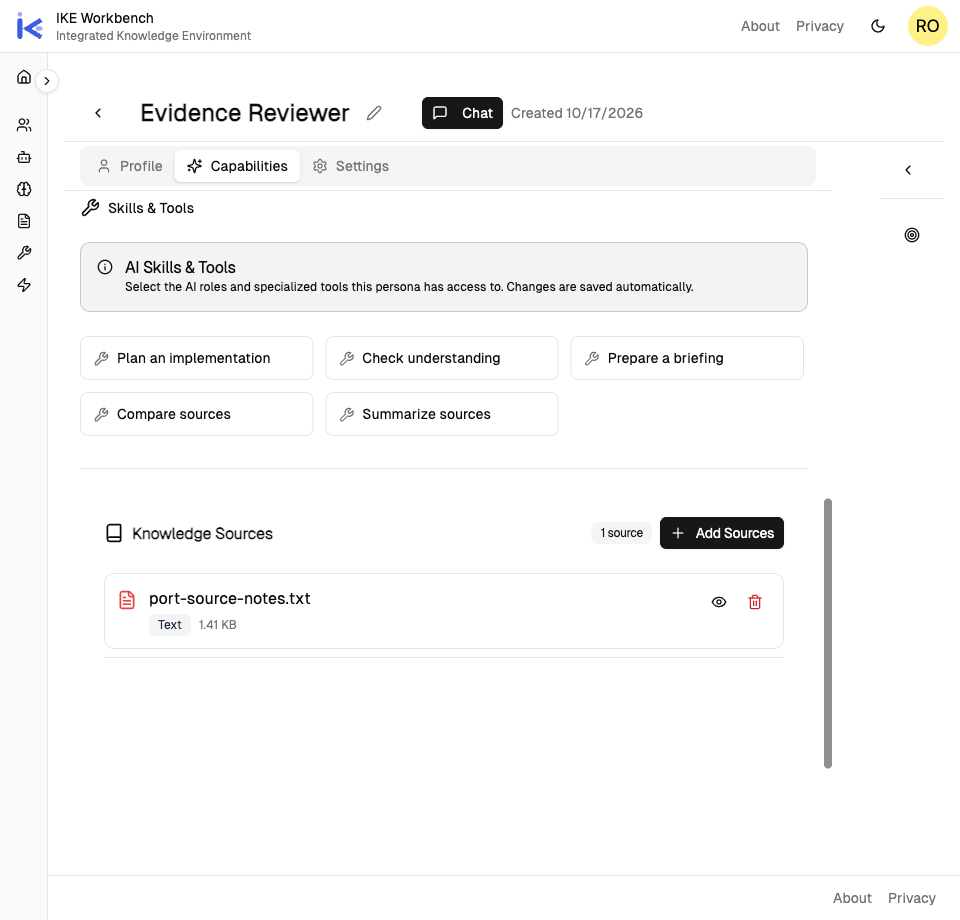
Give the reviewer its own sources

Evidence Reviewer links the same source notes, with client context left out. These are the saved source selections; access boundaries need their own checks. View the reviewer’s setup →

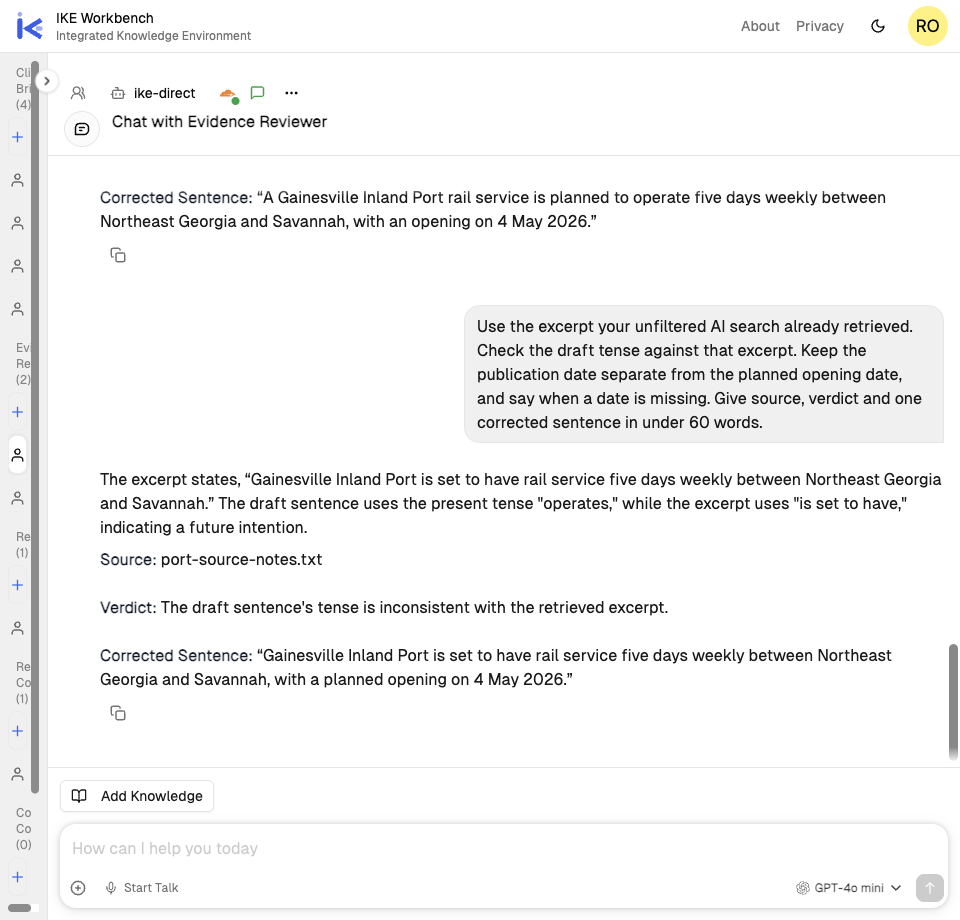
Check a sentence

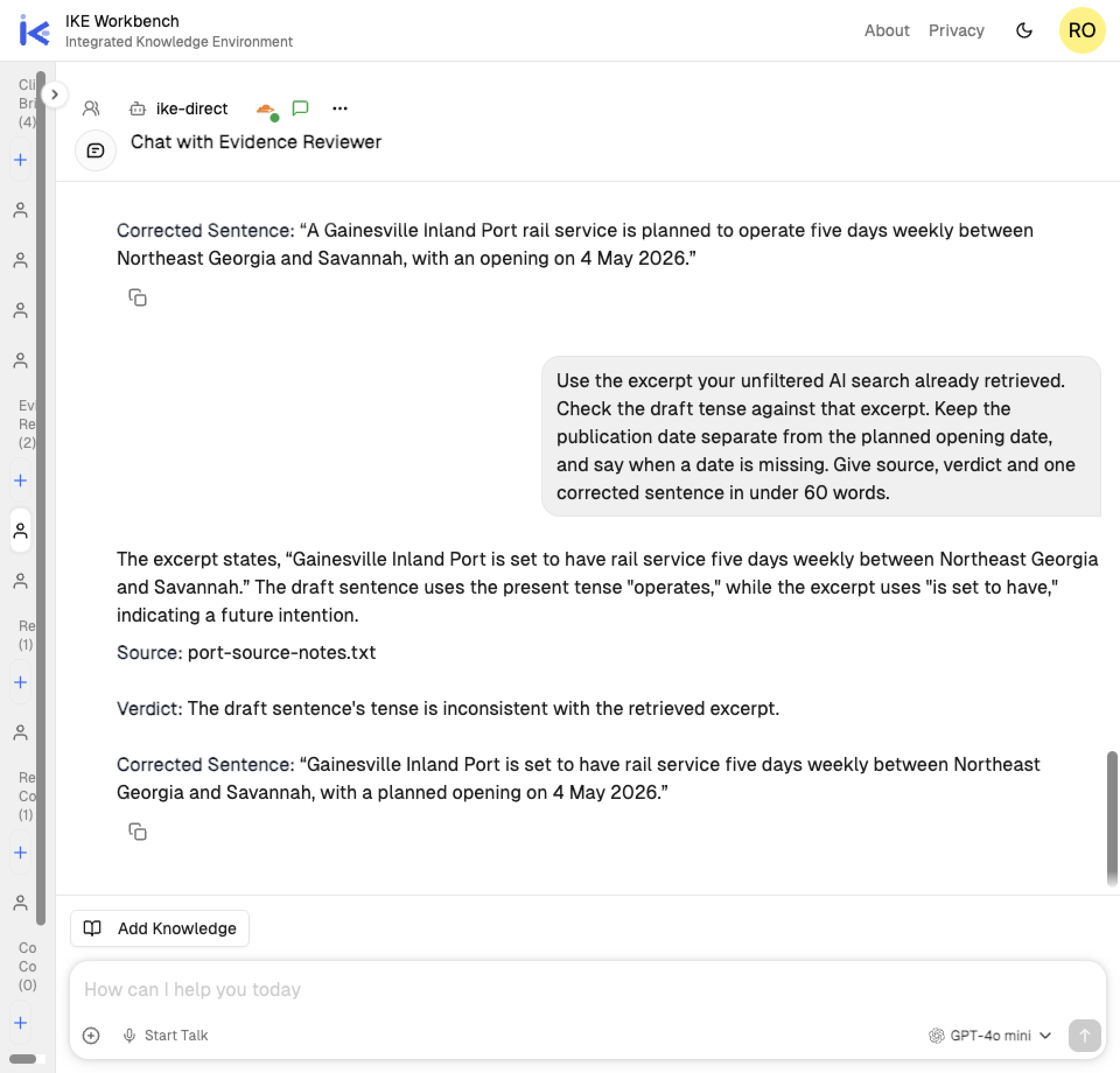
The reviewer catches a draft that describes planned service as operating. Its first retrieval failed; I directed it to AI search, then asked it to use the returned excerpt. The correction shown needed that guidance. Read the real exchange →

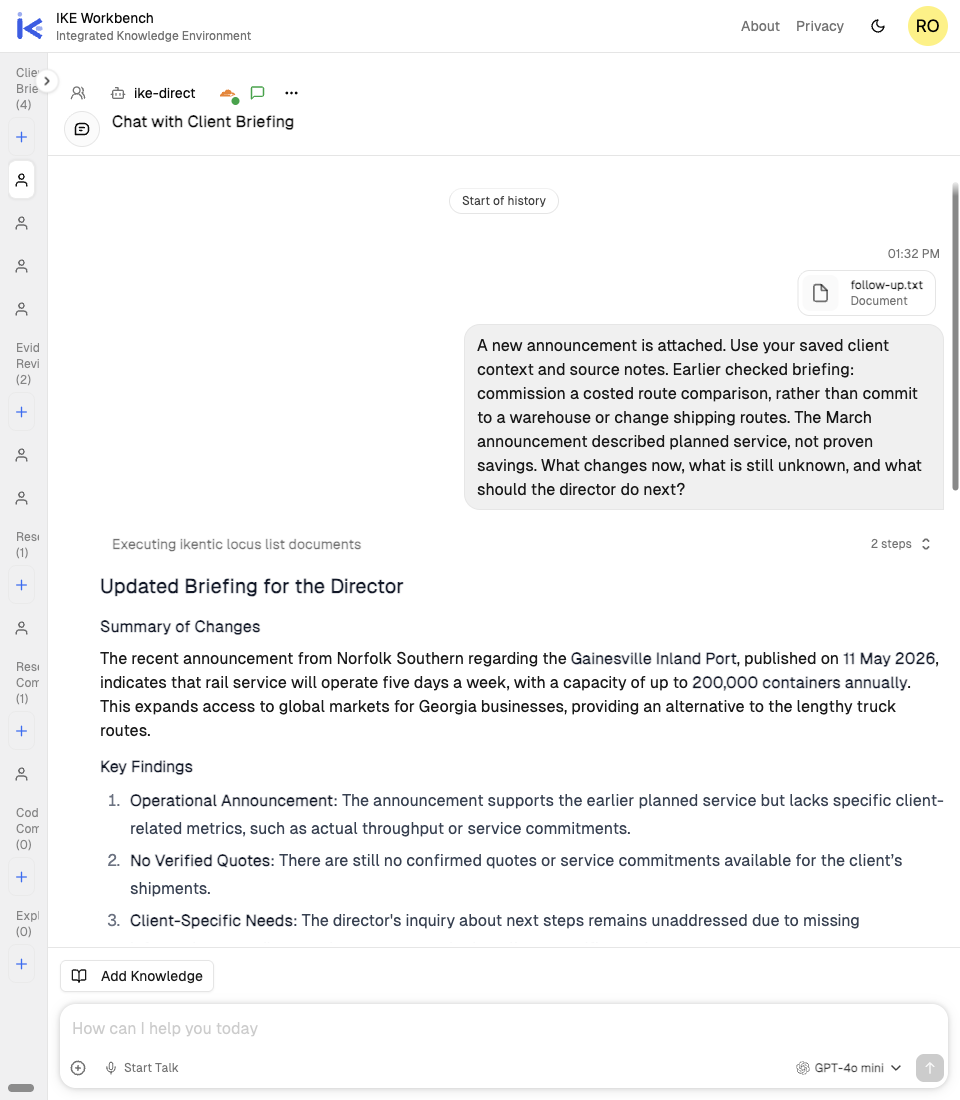
Return with new evidence

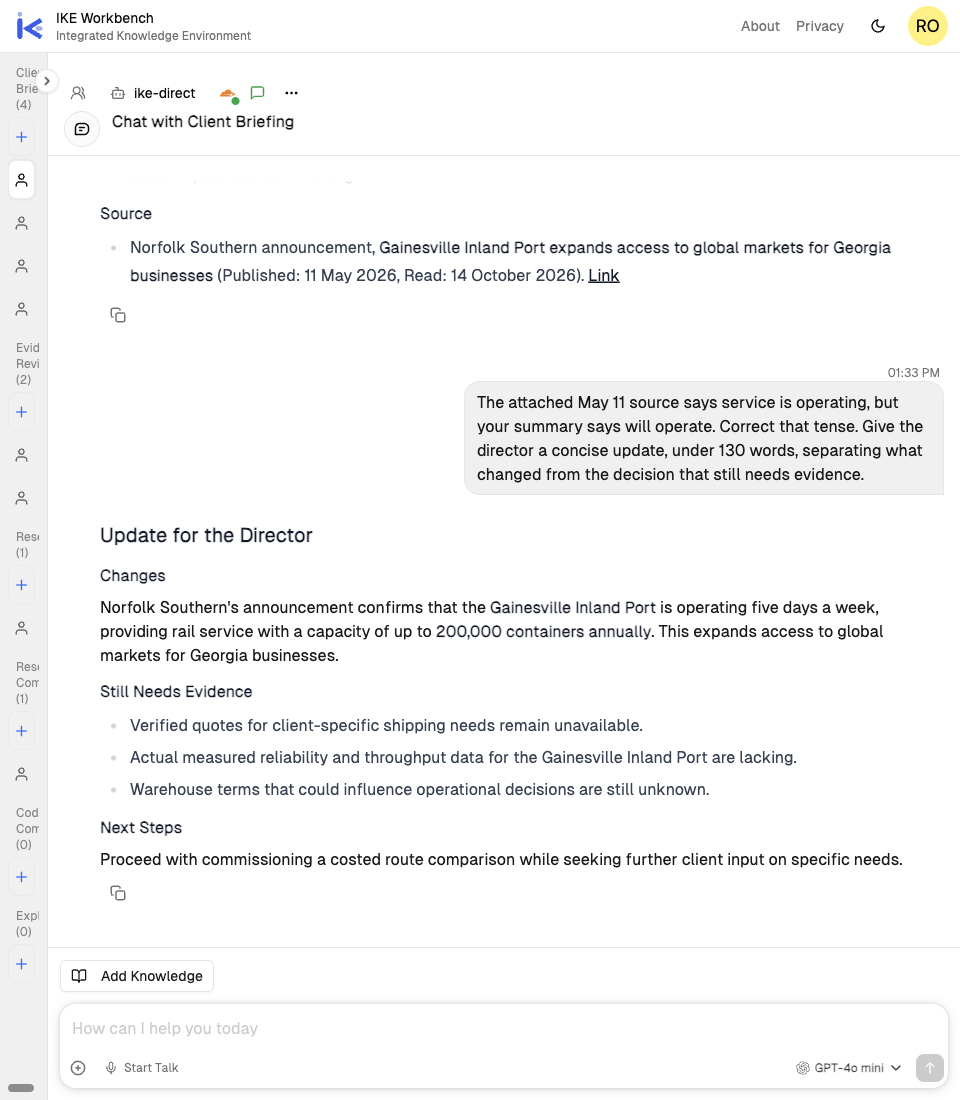
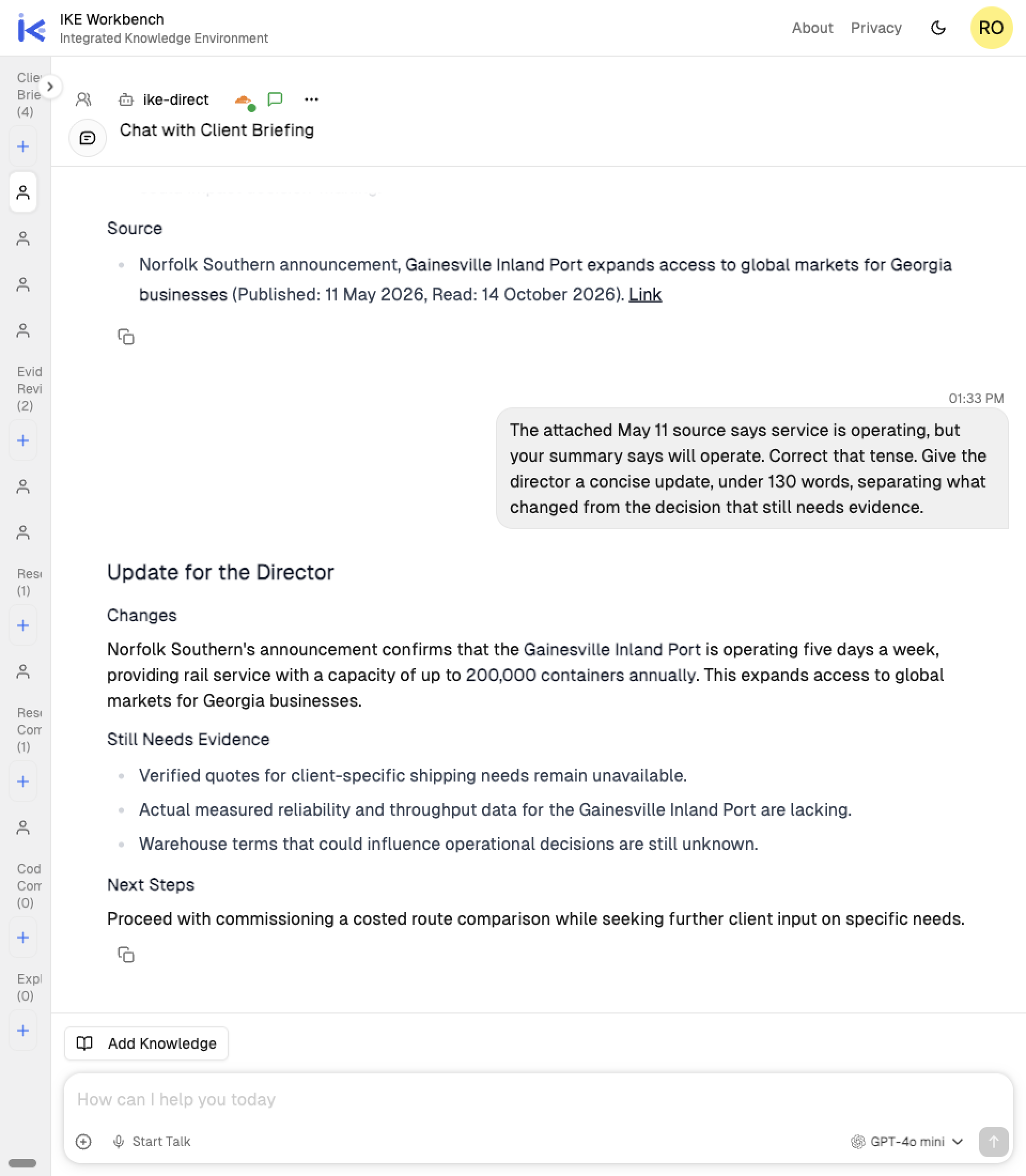
A fresh Client Briefing chat uses the saved preparation. I attach a new file and supply the checked earlier recommendation. See that handoff → I then correct the answer’s tense; its capacity wording still needs the source’s full-build-out qualifier. View the update →

Why use IKE when you already have a chatbot?

Give a body of knowledge more than one job. Prepare a briefing assistant, an evidence reviewer or a meeting partner, each with the sources and methods it needs. IKE brings that preparation and supported model choices together in the Workbench.

Give each job the sources it needs

A briefing needs client context and current reports. A reviewer may need only the evidence. Give each Persona its own selection from your Knowledge library, sharing material where it helps.

Keep the approach that worked

Save a checking or writing method as a Skill and use it with the Personas that need it. Each Persona keeps its own purpose and instructions, ready for a fresh conversation.

Change models, keep your setup

Choose a supported model or provider connection with the preparation that applies to it. Try another approach from the same workspace. Available features, eligibility and charges depend on the connection.

Before you try

Can I start with an existing assistant on Free?

Yes. Start with Research Companion and the supplied files. Free includes selected models within usage limits and 30 saved-work blocks.

If you later prepare your own assistant, two newly saved PDFs, a new Persona, its first version and first chat use five blocks. Another saved chat brings that example to six. Your remaining saved capacity matters; upload and model-use limits also apply.

What stays ready, and what do I bring next time?

A prepared Persona keeps its instructions and linked Knowledge available for a fresh conversation. Add reusable background to Knowledge and link the material your Persona should use. Files attached to a chat and linked Knowledge are separate steps.

Bring new evidence and any checked earlier answer the next task needs. Review the selected sources and check the new answer.

Can I use another model or provider?

Choose among supported models and provider connections. An external connection is optional for the starting exercises. Eligible accounts, supported features and charges depend on the connection; external provider charges may apply.

See plans and model options →

When you find something worth keeping

Take it further when the work calls for it

Keep improving an assistant around your work. Share it, connect it to more tools, or build a team workflow when you need to.

Personas · Create and share

Prepare an assistant for yourself or someone else

Give a familiar job a reusable starting point. Plus includes individual Persona sharing, so someone else can begin with the preparation you've supplied. Check their source access and the sharing details.
OpenClaw powered by Ikentic OpenClaw powered by Ikentic

Use Hosted OpenClaw

Add OpenClaw's tools, channels and sessions in a managed environment connected to IKE. Professional includes one active agent on dedicated resources. Provider API usage is separate; see the trial and hosting terms.

Creators and builders

Build around a team workflow

Need particular screens, current records or permitted actions? Discuss an Agent Application through a Design Partnership. Team preparation exists through configuration/API; its app setup UI is pending. IKE ADK remains in private preview.